Systems
HMI design for gloves and glare: designed on a desk, used in a glove
Size targets for the glove, carry state by shape as well as color, and make every alarm actionable. Then take the screen to the machine and test it.
Computing America Hardware. Custom hardware for physical automation and monitoring.
Send the photograph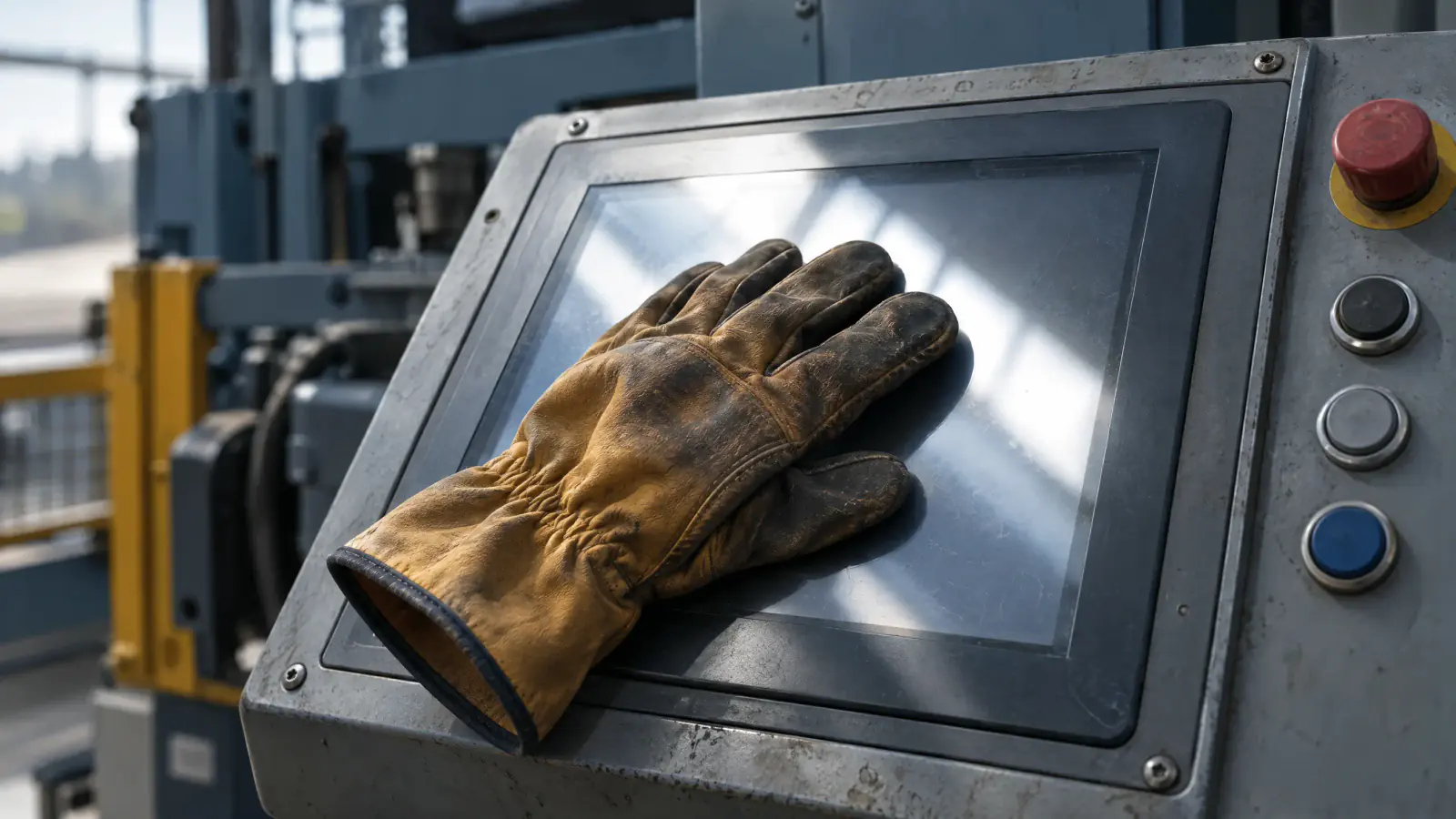
In short
- WCAG 2.2's 24 by 24 CSS pixel minimum is a web floor with no physical size. In the research the W3C summarizes, performance plateaued at 20 mm for the non-disabled group and kept improving beyond it for the disabled group. Our inference for a gloved hand is that 20 mm is a floor, so test larger.
- Whether a panel registers a touch depends on the glove and the panel together, so write the specific glove into the input specification and test that pair.
- Every alarm needs an action the operator can take from where the alarm appears.
- Machine state should be readable from where the operator stands without touching the screen, because their attention belongs on the machine.
- The only test that settles a design is a walk-up: the real gloves, the real distance, the real light, and someone who didn't build it. Everything before that is a prediction.
A panel drawn at a desk fails at the machine because the desk assumed a bare finger, even light and full attention. Take the panel on a robotic cell: it was designed on a color-accurate monitor, indoors, by someone with as long as they needed. The operator is standing, sometimes two meters back, with attention on the equipment.
How big does a target have to be?
WCAG 2.2 (opens in a new tab) sets Success Criterion 2.5.8, Target Size (Minimum), at Level AA: "the size of the target for pointer inputs is at least 24 by 24 CSS pixels", with exceptions for spacing, inline targets and cases where the size is essential. That's the web floor. A CSS pixel has no fixed physical size on an industrial panel (24 of them are 6.35 mm only if the panel renders 96 pixels per inch).
For a physical size, the W3C's research summary (opens in a new tab) quotes one study that found "buttons should be at least 20mm" and another where performance for the non-disabled group "plateaued at button size 20 mm". In the same study "the disabled group's performance continued to improve as button size increased". We found no gloved-finger minimum in the sources we checked, so the step to gloves is our inference: a gloved hand is likelier to behave like the second group. Draw targets at 20 mm or more on the glass itself, treat 20 mm as a floor, and settle the number in the walk-up with the real glove.
mm
- WCAG 2.5.8 minimum, 24 px at 96 ppi6.35 mm
- Floor to draw on glass for gloves20 mm+
The web minimum is 6.35 mm on a 96 ppi panel, about a third of the 20 mm floor this article uses for gloves, which the real glove has to confirm.
SourceWCAG 2.2 Success Criterion 2.5.8 and the W3C research summary. The glove floor is this article's inference, not a published minimum.
Spacing matters too: a large target beside another one still invites a mis-tap. A control that starts equipment or changes a setpoint should be set apart by distance and shape, so a wrong press is physically awkward. Stopping stays easy to reach. An emergency stop is not a layout choice on the panel, and a button drawn on the screen should not be the emergency stop. OSHA, in a 1999 letter on sawing machines, says "emergency stop devices must be properly-designed and installed" (opens in a new tab) and that the acceptable type is evaluated case by case. Leave it to the machine's safety engineer.
Will the glove work on the panel?
It depends on the specific glove, so put the glove in the specification. A thick insulated glove, a leather rigger, or a wet or contaminated glove frequently fails on a capacitive panel, and the failure is intermittent: the operator presses twice, then harder, then decides the screen is unreliable.
Settle it before a panel is bought. Ask what's on the operator's hands on the worst day, get a pair, and test the hardware with them. What if the glove won't work? The options are a panel with a glove mode, resistive or infrared touch, or physical controls for the few actions that have to work every time.
Can the operator read the machine without touching anything?
A screen that has to be interrogated, navigated or woken competes for attention at the moments it's most expensive to take. Light shows the problem first: a display specified for an office washes out in a south-facing bay, a state shown by color alone vanishes while text stays readable, and the screen looks fine with the status gone.
So carry state by position and shape as well as color, so it survives glare, an angle and a color-vision deficiency. Make running, stopped, faulted and waiting-for-input distinguishable from across the room. Put what the operator needs most often where their eye already goes, which you find by watching someone work.
Alarms are the same argument at higher stakes. A screen that alarms every condition trains the operator to clear alarms without reading them, and the habit then covers the alarm that mattered. For each alarm, ask whether there's an action, and whether it's available from where the alarm appears.
Is a consumer tablet ever the right answer?
Often. A tablet in a protective case, on a clean bench in a climate-controlled room, operated bare-handed, is a good screen, with better resolution and a maintenance path any local supplier can service. Four conditions rule it out:
- Washdown, where the enclosure rating is the requirement and a case isn't one.
- Temperature outside the commercial range, common in an unheated building in winter and a bay in summer.
- Sustained vibration, which degrades connectors and mounts while the screen holds up.
- Long service life. A consumer device has a support horizon of a few years and a machine has one of decades.
If none applies, buy the tablet, run the walk-up test below on it with the real gloves and light, and spend the effort on the software. If one does, say which condition drives the industrial panel, so the next person knows what they may change.
The walk-up test
Take the built screen to where it will live, at the worst time of day for light, and hand it to someone who didn't build it, wearing the gloves they wear on the job.
- From where they stand, without touching anything, ask what the machine is doing. If they have to approach or interact to answer, the state display has failed and nothing else matters yet.
- Ask for the three most frequent actions and count the mis-taps against a pass mark you agree beforehand, for example no more than one mis-tap in twenty presses of each action. Don't ask how it felt: people are polite about interfaces, and accurate about their own errors only when someone is counting.
- Raise a test alarm from the panel's simulation mode, with the machine locked out, and watch what they do first. If they clear it before reading it, the alarm design is the finding, not the operator.
- Take the screen away and ask what they would change. Write down the first thing they say.
Sources
- 1.Web Content Accessibility Guidelines (WCAG) 2.2 (opens in a new tab), W3C,
- 2.Summary of Research on Touch/Pointer Target Size (opens in a new tab), W3C Mobile Accessibility Task Force
Next step
Send us a photograph of the panel in place.
A photograph taken from where the operator actually stands, at the time of day the light is worst, and the make of glove they wear. We will tell you which targets on that screen are too small for the glove, what the glare is doing to the states you rely on, and which of it is fixable in software.
- Phone
- (214) 723-2510
- Reply
- A person replies, not a sequence: within one business day, from someone who would be on the engagement.
Packages
Start with a package
Four packages, each with its price on the page. Pick one and buy it online.
$199/month
Billed monthly
$182.42/month
Billed yearly
$499/month
Billed monthly
$457.42/month
Billed yearly
- Scammers stopped from sending email as you
- Your website and systems scanned every week
- Your email settings checked every week
- Everything in the 1 to 10 plan
- Covers up to 50 people
$199/month
after a one-time setup fee
- A site planned, designed and built for you
- Hosting and updates every month
$499/month
Billed monthly
$457.42/month
Billed yearly
$999/month
Billed monthly
$915.75/month
Billed yearly
- Your Google profile, fully set up
- A Google post every week
- 2 social posts a week
- Everything in Get found
- 4 social posts a week
- Your top 10 Google searches tracked
from$500/month
after a one-time setup fee
- Your data gathered from the tools you use
- A first analysis that answers your questions
- New findings every month
Related reading
 Engineering3 min read
IP65 vs NEMA ratings: what an ingress rating does not test
IP65 records that a sample passed a dust test and a water-jet test, and a NEMA Type is not its equivalent. What your cleaning regime does to the box is yours to specify.
 Systems4 min read
Firmware updates for deployed units: the update path is the product
A unit that can't be updated safely has a fixed expiry date. The update path is settled early in the design and paid for over the fleet's whole life.
 Delivery4 min read
Hardware pilot projects: scope one to buy a decision, not a demo
Scope a pilot backward from the go or no-go it must produce. A demo that works under supervision settles nothing about the rollout.